 EV Charger Scout
Even well-maintained EVs and modern charging networks produce charging failures regularly — far more often than most manufacturers would prefer to admit. Surveys consistently show that 15–25% of DC fast charging attempts at public stations result in some kind of issue, ranging from a minor delay to a complete session failure. The good news: the vast majority of these problems have simple fixes you can execute on the spot, without calling roadside assistance or waiting for a technician.
This guide covers the most common charging problems, what's actually causing them, and exactly what to try — organized by problem type so you can go straight to what's happening to you right now.
Problem: The Session Won't Start
This is the most common issue at DC fast chargers: you plug in, the charger beeps, the lights blink — and then nothing happens. The car doesn't start charging. Here's a systematic approach:
Step 1: Check the App or Payment
Most public DCFC networks require either a network app or a payment method to initiate a session. If you haven't opened the app and started a session manually, the charger is waiting for authorization. Some newer V3/V4 Tesla Superchargers and newer Electrify America, EVgo, and IONITY stations accept credit card tap-to-pay directly at the screen without an app — use this as a backup if your app fails.
Step 2: Unplug and Replug
A surprising proportion of failed initiations are fixed by simply unplugging the cable completely, waiting 10 seconds, and plugging back in. The communication handshake between charger and vehicle can fail on the first attempt — a fresh plug-in restarts the entire sequence. Do this before assuming the station is broken.
Step 3: Unlock the Vehicle
Many EVs require the car to be unlocked (or have the key fob nearby) for a charging session to initiate. This is a security feature. If your car locked itself while you walked away to pay for coffee, come back, unlock it, then re-initiate the session.
DC Fast Charging Upgrade · EV Shop

Lectron CCS-to-NACS Adapter for Tesla
UL 2252 Certified — Charge Your Tesla at Any CCS DC Fast Charger
* Amazon affiliate link — EV Charger Scout may earn a small commission at no extra cost to you.
Step 4: Try a Different Stall
Individual charging stalls fail. Network operators know this and it's why multi-stall stations exist. If a stall won't respond after two proper plug attempts, move to the next stall and try again before concluding the whole station is down.
Step 5: Check the Network Status Page
Every major charging network has a status page or in-app outage indicator. EVgo, Electrify America, ChargePoint, Tesla, IONITY, Fastned, and others all publish real-time station status. Check this before spending time troubleshooting — if the station is marked as down, no amount of re-plugging will help. Move on.
Problem: Charging Started But the Rate Is Much Lower Than Expected
You're charging, but the kW readout is a fraction of what you expected. A few possible causes:
- →Cold battery — Lithium-ion batteries accept charge much more slowly when cold. Below 10–15°C (50–59°F), most EVs significantly restrict charge rate to protect the cells. This is the most common cause of unexpectedly slow charging in winter. The fix is battery preconditioning — most EVs have a navigation-based feature that heats the battery while driving toward a fast charger. Enable this in your car's settings if available.
- →Hot battery — High ambient temperature plus a previous charge or high-speed driving can put the battery in a thermal state that requires the car to throttle charge rate for cooling. Park in shade, give it a few minutes, and the rate may recover.
- →High state of charge — DC fast charging tapers above 80% on virtually all EVs. If you're above 80% SOC, slow charging is by design. The fix is to charge to 80% and go, not to sit and wait for 100%.
- →Stall-sharing power split — Some older DC fast charger installations (notably Tesla V2 Superchargers and some CCS stations) share peak power between stalls in pairs. If you're in stall 3A and stall 3B is occupied, you both split the 150kW ceiling. Move to a stall without an A/B pair if available.
- →Adapter power cap — A lower-rated adapter (particularly a cheap third-party one) may throttle DC charging to a rate below the station or car's capability. Check the adapter's rated maximum current against your car's peak acceptance rate.
If your car has a navigation system with integrated charging routing (Tesla, Rivian, Hyundai, Kia, BMW, Volkswagen Group, and others all have this), always use it for highway trips. The system both preconditions your battery and accounts for real-time network conditions.
Problem: Session Drops Mid-Charge
The charger starts fine but cuts out after a few minutes or mid-session. Causes and fixes:
- →Cable or connector contact issue — Vibration, a slightly loose fit, or a damaged pin can interrupt the DC charging communication signal. Try unplugging completely, inspecting the cable and your car's port for debris or bent pins, then replugging firmly. At DCFC speeds, even intermittent contact causes immediate session termination.
- →Network connectivity dropout — Charging stations communicate with network servers to maintain billing and session authorization. If the station's cellular or Wi-Fi connection drops, some stations terminate the session as a fail-safe. This is a network infrastructure problem you can't fix on the spot — note the station ID and report it to the network operator.
- →Ground fault or GFCI trip — Level 2 charging uses GFCI protection. A transient ground fault — from a wet outlet, damaged cord, or vehicle electrical issue — can trip the protection circuit and end the session. If this happens repeatedly, have your charging port and car's onboard charger inspected. A recurring GFCI trip on multiple different chargers points to a vehicle-side issue.
- →Battery thermal management cutoff — If the battery gets too hot during charging, the BMS will reduce or stop charging automatically. This is normal protective behavior. Pull up your car's battery temperature screen (if available) and wait for temperatures to normalize before restarting.
Problem: Adapter Not Communicating
Using a NACS-to-CCS1 adapter (or vice versa) and the session won't initiate at all, even though the physical connection seems solid? Adapter communication issues are a distinct problem from regular charger failures.
- →Dirty or oxidized pins — Adapter contact pins exposed to salt air, rain, or general grime can oxidize. Inspect the pins visually and clean with dry lint-free cloth if needed. Do not use liquid cleaners on charging pins.
- →Adapter incompatibility with specific charger firmware — Not all adapters work with all charger firmware versions. Tesla's own adapters and manufacturer-issued adapters (Rivian, Ford) are the most broadly compatible. Third-party adapters can fail on specific network equipment even when rated for the same connector type. If the adapter works at one station but not another, this is likely the cause.
- →Session app communication required — For non-Tesla vehicles using a CCS1-to-NACS adapter at a Supercharger, the Tesla app must be used to initiate the session — tap-to-pay on screen doesn't always work with the adapter's communication protocol on older stalls. Start the session in the app first, then plug in.
- →Defective adapter — Adapters do fail. If your adapter consistently fails across multiple stations while other vehicles charge fine, the adapter itself may be faulty. Return it and get a replacement from a reputable source.
DC Fast Charging Upgrade · EV Shop
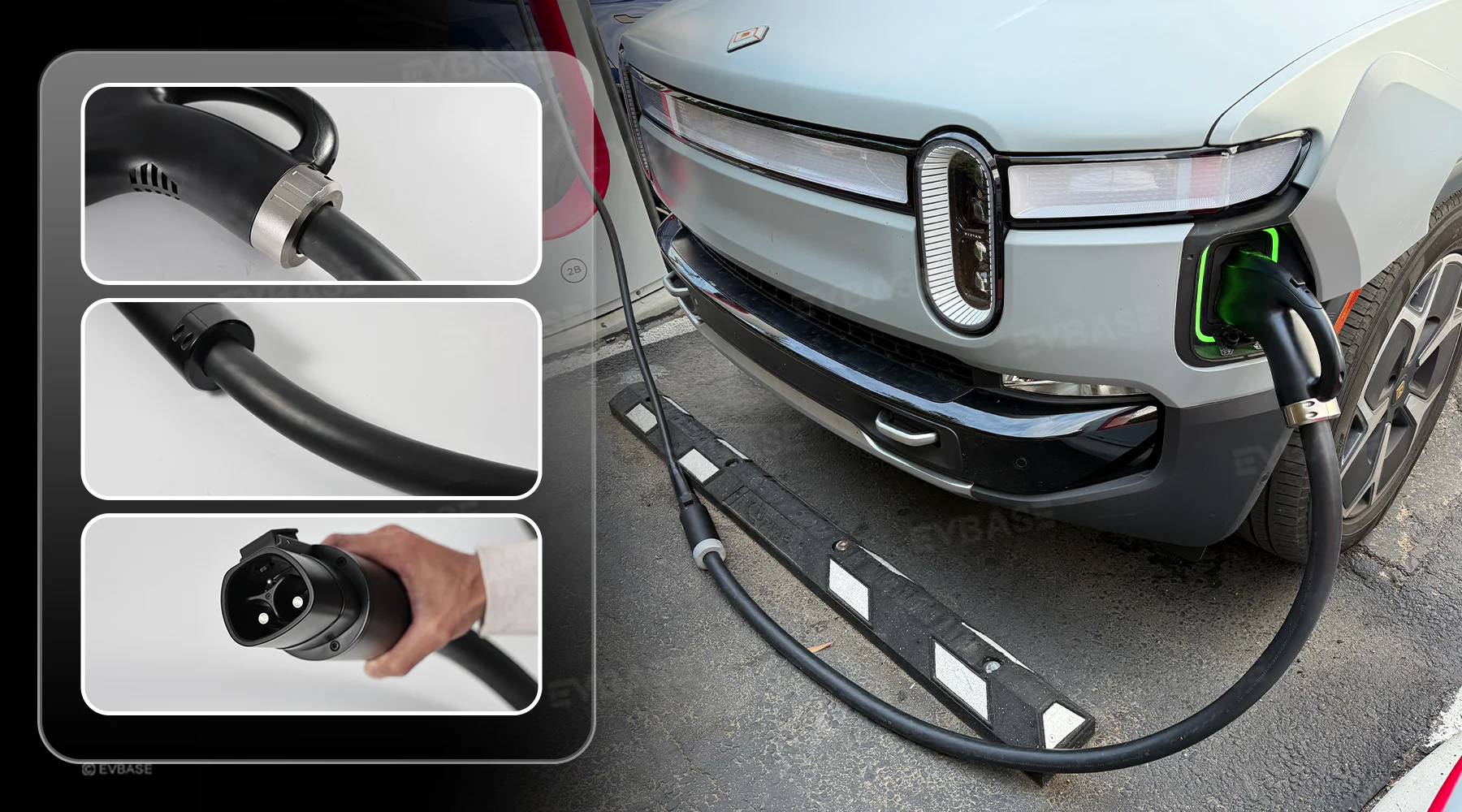
EVBASE NACS to CCS1 Adapter with Extension Cable
Max 350A/1000V with Extension Cable — Charge CCS1 EVs at Tesla Superchargers
* EVBASE affiliate link (via AWIN) — EV Charger Scout may earn a small commission at no extra cost to you.
Problem: "No Compatible Vehicle" or Similar Error Messages
The charger's screen displays an error indicating your vehicle isn't recognized or isn't compatible. This appears most often with adapters or when accessing a network with a new vehicle make that the network's software hasn't been updated to recognize.
- →Update your car's firmware — Charging compatibility improvements are often delivered via OTA (over-the-air) software updates. Make sure your vehicle's software is up to date before a long trip.
- →Update the network app — Similarly, network apps receive compatibility updates. Use the latest version.
- →Contact network support — If your vehicle is listed as compatible on the network's website but the station refuses it, the issue may be station-specific. Network support lines can often reset individual stalls remotely.
- →Try a different stall — Firmware and compatibility bugs are often stall-specific. The next stall may be on a different firmware version that handles your vehicle correctly.
Problem: App Won't Authenticate or Payment Fails
Your charging network app is showing an error, won't connect, or the payment method is being declined.
- →Set up accounts before you need them — The worst time to create a network account is standing at a charger in a hurry. Tesla, Electrify America, EVgo, ChargePoint, IONITY, Fastned, and others all require registration. Do this at home.
- →Pre-load a payment method — Some networks require a payment method on file before any session can start, even if you're trying to pay by credit card at the station. Verify this in the app settings.
- →Use a different payment option — Modern stations typically support app payment, tap-to-pay credit card, and sometimes RFID cards. If one method fails, try another. Keeping a contactless credit card as a fallback beats waiting on an app.
- →Check for roaming agreements — In Europe especially, charging networks have roaming agreements that let you use your home network's RFID card or app at partner networks. ChargePoint, Plugsurfing, CHARGE NOW, and others all operate roaming agreements. If you're using a network's card away from home, check if your card supports roaming on the target network.
Problem: The Charging Port Won't Latch or the Cable Won't Release
- →Car is in "ready" mode — Most EVs require the car to be in Park and powered down (or at least not in Drive) for the charging port to accept a cable. Confirm the car is fully in Park.
- →Cable stuck after charge complete — The cable locks during an active or recently completed session. End the session in the app, wait a moment for the session to close, then try releasing. If it still won't release, unlocking and locking the car usually resets the latch mechanism.
- →Charging port frozen (winter) — In very cold climates, charging port mechanisms can ice up. Most EVs have a port heater that activates during charging or when cabin heating is on. Pre-warming the car with climate on before plugging in melts ice around the port mechanism.
Never force a stuck cable. Forcing a locked cable can damage the cable, the charging port, or both. Call the network operator's support line — they can often remotely release the cable lock.
EV Charger Scout displays station data from NREL and OpenChargeMap. Before committing to a charging stop, check the station detail panel for any reported issues and confirm the station is listed as operational — then cross-check with the network's own app for current status.
Frequently Asked Questions
Why won't my EV charging session start?
The most common causes are missing payment authorization, a failed communication handshake, or a locked vehicle. Work through it systematically: check the app or tap-to-pay, unplug completely and replug after about 10 seconds, make sure the car is unlocked, try a different stall, and check the network's status page. A surprising number of failed starts are fixed simply by replugging.
Why is my EV charging much slower than expected?
Common causes include a cold battery (which restricts charge rate to protect the cells), a hot battery that's being throttled for cooling, a high state of charge above 80% where DC charging tapers by design, stall-sharing power splits on some older installations, or a lower-rated adapter capping the rate. Battery preconditioning before a fast charger helps most in cold weather.
What should I do if my charging session keeps dropping mid-charge?
Try unplugging and inspecting the cable and port for debris or bent pins, then replug firmly, since even intermittent contact ends a DC session immediately. Other causes include the station's network connectivity dropping, a ground fault or GFCI trip on Level 2, or battery thermal management cutting off. A recurring GFCI trip across multiple chargers points to a vehicle-side issue worth inspecting.
Why won't my charging adapter communicate with the station?
Adapter communication issues are distinct from regular charger failures. Check for dirty or oxidized pins (clean with a dry lint-free cloth only), firmware incompatibility with specific charger hardware, or the need to start the session in the network app first. Tesla's own and manufacturer-issued adapters are the most broadly compatible; if an adapter fails consistently across stations, it may be defective.
What should I do if the charging cable won't release?
Never force a stuck cable, as that can damage the cable or port. First make sure the car is fully in Park, then end the session in the app and wait a moment before trying again — unlocking and locking the car often resets the latch. In very cold weather the port can ice up, so pre-warming the car with climate on can help. If it still won't release, call the network operator to remotely release the lock.