 EV Charger Scout
Finding electric vehicle charging stations in 2026 should be effortless. The network has grown massively — the US alone has over 200,000 public charging ports, Europe exceeds 700,000, and Asia-Pacific adds hundreds of thousands more. But more stations doesn't mean fewer problems. Dead chargers, broken payment systems, occupied bays, incompatible connectors, and frustratingly slow speeds are real issues that cost drivers time. This guide is about finding good stations efficiently, using them correctly, and avoiding the ones that will leave you standing in a parking lot with a dead phone and a half-empty battery.
How Electric Vehicle Charging Stations Are Categorized
Before you search, it helps to understand what you're searching for. Every public charging station falls into one of three categories, and the differences between them determine how useful a station actually is for your situation.
| Type | Speed | Best For | Connector (typical) |
|---|---|---|---|
| Level 1 (AC) | 3–8 km / 2–5 mi per hour | Overnight at accommodation | J1772, Type 2 |
| Level 2 (AC) | 25–100 km / 15–65 mi per hour | Errands, workplaces, hotels | J1772, Type 2, NACS |
| DC Fast Charging | 150–400+ km / 90–250+ mi per hour | Road trips, quick top-ups | CCS1, CCS2, NACS, CHAdeMO, GB/T |
Level 1 stations are mostly useful for emergency top-ups or overnight stays where you have many hours. Level 2 is the workhorse of day-to-day public charging — it's where most drivers top up while shopping, working, or eating. DC fast chargers are for road trips or situations where you need meaningful range added in under 30 minutes.
The Best Apps and Tools for Finding EV Charging Stations
EV Charger Scout
EV Charger Scout pulls from the NREL Alternative Fuels Station Locator (which powers US federal data) and OpenChargeMap (the largest open global database) to show 500,000+ stations across 60+ countries. What makes it different from basic maps is that it lets you filter by your exact vehicle — so if you drive a Hyundai Ioniq 6, it shows only the connectors your car accepts, flags incompatible ones, and tells you if an adapter would make a station work for you. The Live Port Status feature uses TomTom real-time data at participating stations to show which connectors are occupied vs available right now. Use the built-in calculator to estimate session cost before you start. Available free on iOS, Android, and the web.
PlugShare
PlugShare's key advantage is its crowd-sourced check-in system. Drivers report working or broken chargers in real-time, include photos, and leave comments. Before driving to any public station — especially at a smaller network or a lesser-known location — checking PlugShare's recent check-ins takes 20 seconds and can save you an hour. Filter by connector type, network, Level 2 vs DCFC, and availability. The map is available on iOS, Android, and web with a free account.
ABRP (A Better Route Planner)
ABRP is the gold standard for long-distance EV trip planning. Enter your vehicle, current battery state, and destination, and it calculates an optimized route with charge stops sized exactly right — accounting for weather, elevation, speed, and your vehicle's real charge curve. It connects to live telemetry for many EVs via OBD2 or direct integration (Tesla, Ioniq, BMW, etc.) to use your actual battery state. Available free with a paid subscription for advanced features.
EV Tech Pick · EV Shop
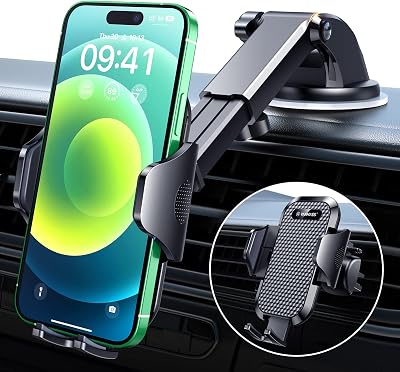
VANMASS Military-Grade Car Phone Mount
Military-Grade Metal Clamp — Strongest Windshield Phone Mount
* Amazon affiliate link — EV Charger Scout may earn a small commission at no extra cost to you.
Network-Specific Apps
Every major network has its own app with accurate real-time data for their own stations: Tesla (for Superchargers), Electrify America, EVgo, ChargePoint, BP Pulse, IONITY, Fastned, Shell Recharge, and many others. These are worth having for networks you use frequently because they give more reliable uptime and pricing data than third-party aggregators. Many also let you start and monitor sessions remotely.
Use a general finder app (EV Charger Scout, PlugShare) to discover stations you didn't know about, then switch to the network's own app to start the session for the most reliable experience. The two-app approach takes 30 extra seconds and is almost always worth it.
How to Read a Station Listing and Spot Red Flags
Not all stations listed on charging maps are operational, well-maintained, or worth visiting. Here's how to evaluate a listing before you drive to it:
Check-In Recency and Comments
The most useful signal is how recently someone checked in successfully. A station with a check-in from 3 days ago saying "all ports working, easy access" is almost certainly fine. A station with the last check-in from 8 months ago is a wildcard. PlugShare's comment system is particularly useful for knowing whether a station requires network membership, whether the parking lot is accessible in a large vehicle, or whether there's a payment terminal issue affecting certain card types.
Power Output vs. Rated Power
A station advertised as 150 kW may deliver significantly less if the site has multiple stalls sharing a single transformer, or if the equipment is aging. Look for comments mentioning actual delivered power — "only got 75 kW" is a meaningful data point that affects your charging time calculation.
Network Reliability Patterns
| Network | Avg. Uptime (2025 ICCT Report) | Reliability Notes |
|---|---|---|
| Tesla Supercharger | 99.9% | Industry-leading; extensive stall counts reduce congestion |
| EVgo | 97–98% | Urban-focused; improving with newer hardware |
| ChargePoint (Level 2) | 96–97% | Large installed base; station-by-station variation |
| Electrify America | 93–96% | Improving after early reliability issues; OCPP upgrades ongoing |
| Blink (older hardware) | 88–92% | Legacy equipment; newer stations perform significantly better |
| IONITY (Europe) | 97–99% | Premium hardware; high uptime on highway corridors |
Never plan to arrive at a station below 10–15% state of charge without a verified backup option nearby. Even well-maintained networks occasionally have entire sites go offline due to power outages, ISP issues, or utility maintenance. Leave a margin, especially on road trips.
Common Situations and the Best Strategy for Each
Daily Driving: Supplementing Home Charging
If you have home charging, most daily top-ups are unnecessary. But when you do need to add range during the day, Level 2 stations at workplaces, shopping centers, and parking garages are your best bet. Search for stations near your regular stops — supermarkets, gyms, office buildings. Plug in when you arrive, not when you need to leave urgently. EV Charger Scout's map shows you what's within walking distance of any address so you can identify your regular "charge while errand" spots in advance.
Urban Charging Without Home Access
Apartment and condo dwellers without dedicated home charging represent the hardest use case in 2026. The most practical approach: identify two or three reliable Level 2 stations within 1–2 km of your home that you can walk or cycle from. Set up accounts on ChargePoint and EVgo (or the dominant network in your city). Build a routine where you plug in when you arrive home in the evenings. Community chargers in residential parking structures are growing through programs like ChargePoint's Access for All and similar European municipal programs.
In South Korea, the majority of apartment complexes now have underground parking chargers subsidized by the government — check with your building management. In the Netherlands and Norway, most residential areas have curbside Level 2 posts. In Australia, shopping center Level 2 charging is increasingly free or low-cost as a customer retention strategy.
DC Fast Charging Upgrade · EV Shop

Lectron CCS-to-NACS Adapter for Tesla
UL 2252 Certified — Charge Your Tesla at Any CCS DC Fast Charger
* Amazon affiliate link — EV Charger Scout may earn a small commission at no extra cost to you.
Road Trips: Planning and Contingencies
Plan your charging stops before you leave, not on the fly. Use ABRP or a similar route planner with your actual vehicle to identify which stations you'll need. Cross-reference each planned stop with PlugShare check-ins from the past week. Have a backup station identified for each stop — know which station you'd use if your primary stop is offline or congested. Tesla Superchargers on interstate routes are the most consistently reliable for road trip charging in North America; IONITY highway corridors perform similarly in Europe.
- 1Plan route in ABRP with vehicle, weather, and speed settings filled in
- 2Check each planned stop on PlugShare for recent check-ins
- 3Identify backup stations within 20 km of each primary stop
- 4Download network apps for each network on your route (you may need 2–3)
- 5Enable location permissions for navigation and charger apps
- 6Know your car's maximum charge rate — plan stops so you stop well below 80% and leave at 80%
- 7Check for network subscription discounts before the trip — they often pay for themselves in one stop
Charge to 80% and move on — do not wait for 100%. The charging curve of nearly every EV flattens dramatically above 80%, meaning the last 20% takes as long as the first 60%. For road trips, plan multiple shorter stops rather than fewer long ones.
Avoiding the Worst Stations: Specific Warning Signs
After enough time finding and using public chargers, you develop instincts for which stations to avoid. These are the red flags worth watching for:
- →No recent PlugShare activity. A station where the most recent check-in is months old and says "broken" is probably still broken. Networks are slow to remove dead stations from databases.
- →Older Blink hardware with non-networked card readers. The original Blink DCFC units (identifiable by their older silver enclosures) have a documented reliability history. Avoid if you have any alternative.
- →Single-port DC fast chargers. If a location only has one DCFC port and it's occupied or broken, you have no backup at that site. Multi-stall locations are significantly safer for planning purposes.
- →Pay-by-app-only with no backup payment method. Some stations require their proprietary app to initiate payment and have no card reader. If the app has a connectivity issue, you can't start the session.
- →No amenities, no lighting, isolated location. Particularly relevant for late-night charging. Not a reliability issue, but a practical one — spending 30+ minutes at an unlit industrial park parking lot is unpleasant.
- →User comments mentioning billing issues. Some stations have a history of overcharging, double-billing, or difficult refund processes. A pattern of complaints is a meaningful signal.
Connector Compatibility: Getting It Right Every Time
Connector incompatibility remains one of the most common sources of confusion for EV drivers, particularly when traveling internationally. Here's the key rule: the connector standard that matters is the one on your car, not the one on the station.
| Your Car's Port | Compatible With (no adapter) | Needs Adapter For |
|---|---|---|
| NACS (Tesla) | NACS Superchargers, NACS public L2/DCFC | CCS stations (need CCS-to-NACS) |
| CCS1 (most US non-Tesla EVs) | CCS1 DCFC, J1772 L2 | Tesla Supercharger (need NACS-to-CCS1) |
| CCS2 (EU / Australia / etc.) | CCS2 DCFC, Type 2 L2 | CCS1 stations (travel adapter) |
| CHAdeMO (older Nissan, Mitsubishi) | CHAdeMO DCFC only | Nearly everything else |
| GB/T (Chinese EVs in China) | GB/T DCFC and AC | CCS2 when traveling in Europe |
EV Charger Scout handles this automatically — when you select your vehicle, it filters and labels stations by compatibility so you never arrive at a charger that won't work for your car. The adapter guidance feature tells you which adapter to carry for each situation.
A Word on International Charging
If you drive an EV across borders — from the US to Canada, within the EU, or from the UK into Europe — be aware of a few specific issues. Payment methods vary: many European networks require a subscription or RFID card rather than accepting credit cards directly. In South Korea, most public chargers require a government-issued EV charging card (K-PASS or similar). In Japan, CHAdeMO remains dominant at public DCFC, though CCS2 is appearing at newer sites. In China, GB/T is mandatory at domestic chargers, but international travelers with CCS2 EVs can sometimes access CCS2 ports at newer premium locations in major cities.
Search by address, landmark, or let it use your current location to show stations worldwide. Filter by your exact vehicle, check live port status where available, and plan your route with the built-in cost calculator. It's free, no account required, and works on every device.
Frequently Asked Questions
What are the best apps for finding EV charging stations?
EV Charger Scout is strong for discovery, pulling from NREL and OpenChargeMap to show 500,000+ stations across 60+ countries with vehicle-specific filtering. PlugShare adds crowd-sourced check-ins to confirm whether a charger is working, and ABRP is the gold standard for planning charge stops on long trips. A good approach is to use a finder app to discover stations, then switch to the network's own app to start the session.
How do I know if a charging station is reliable before driving there?
Check how recently someone checked in successfully — a check-in from a few days ago saying ports work is reassuring, while one from many months ago is a wildcard. Read comments for notes on actual delivered power, membership requirements, or payment issues, and favor networks with strong uptime records. Tesla Superchargers lead reliability at around 99.9%, with IONITY high in Europe.
What are the three types of EV charging stations?
Level 1 AC adds about 3–8 km (2–5 mi) of range per hour and is best for overnight top-ups; Level 2 AC adds roughly 25–100 km (15–65 mi) per hour and is the workhorse for errands, workplaces, and hotels; and DC fast charging adds 150–400+ km (90–250+ mi) per hour for road trips and quick top-ups. The connector and your car's port determine which stations actually work for you.
How do I avoid the worst charging stations?
Watch for warning signs such as no recent PlugShare activity, older Blink hardware with non-networked card readers, single-port DC fast chargers with no on-site backup, app-only payment with no card reader, and user comments mentioning billing problems. Single-port and isolated, unlit locations are riskier for planning, so multi-stall sites are safer choices.
Which connector do I need and when do I need an adapter?
The connector that matters is the one on your car, not the station. NACS cars charge at NACS stations and need a CCS-to-NACS adapter for CCS stations; CCS1 cars use CCS1 and J1772 but need a NACS-to-CCS1 adapter for Tesla Superchargers; CCS2 cars use CCS2 and Type 2; and CHAdeMO and GB/T are more limited. EV Charger Scout filters stations by your vehicle and tells you which adapter to carry.
More guides on Tips & Guides
Explore the full Tips & Guides topic hub — related guides that build on this one.
EV Charging Without a Garage: Apartment, Condo & Street Parking Options
12 min read
EV Charging Etiquette in 2026: The Rules That Actually Matter (And How to Handle Violations)
13 min read
Peak Summer Heat Charging Tips: Avoid Overheating at High-Power Stations
13 min read
Find EV Charging Stations Near Me: Real Owner Tips for 2026
12 min read
2026 EV Range Anxiety Fixes: 10-Minute Top-Ups at the World's Fastest Stations
13 min read
Charging-as-a-Service: Why Retailers Are Adding Free Adapters and What It Means for You
13 min read