 EV Charger Scout
If you drive a Tesla and have never paid for Full Self-Driving (Supervised), you can try it free for a full month. Tesla's FSD referral program lets current FSD subscribers share a link that unlocks a one-month trial for other Tesla owners. You don't need a promo code, pay nothing up front, and you're under no obligation to subscribe afterward. This guide covers what you get, who qualifies, how to claim it in about two minutes, what to test so the month is worth it, and what it costs if you decide to keep it.
Full disclosure: the referral link on this page belongs to the developer of EV Charger Scout. If you subscribe during your trial, Tesla gives the developer a free month too. It costs you nothing extra, and you decide everything after the trial.
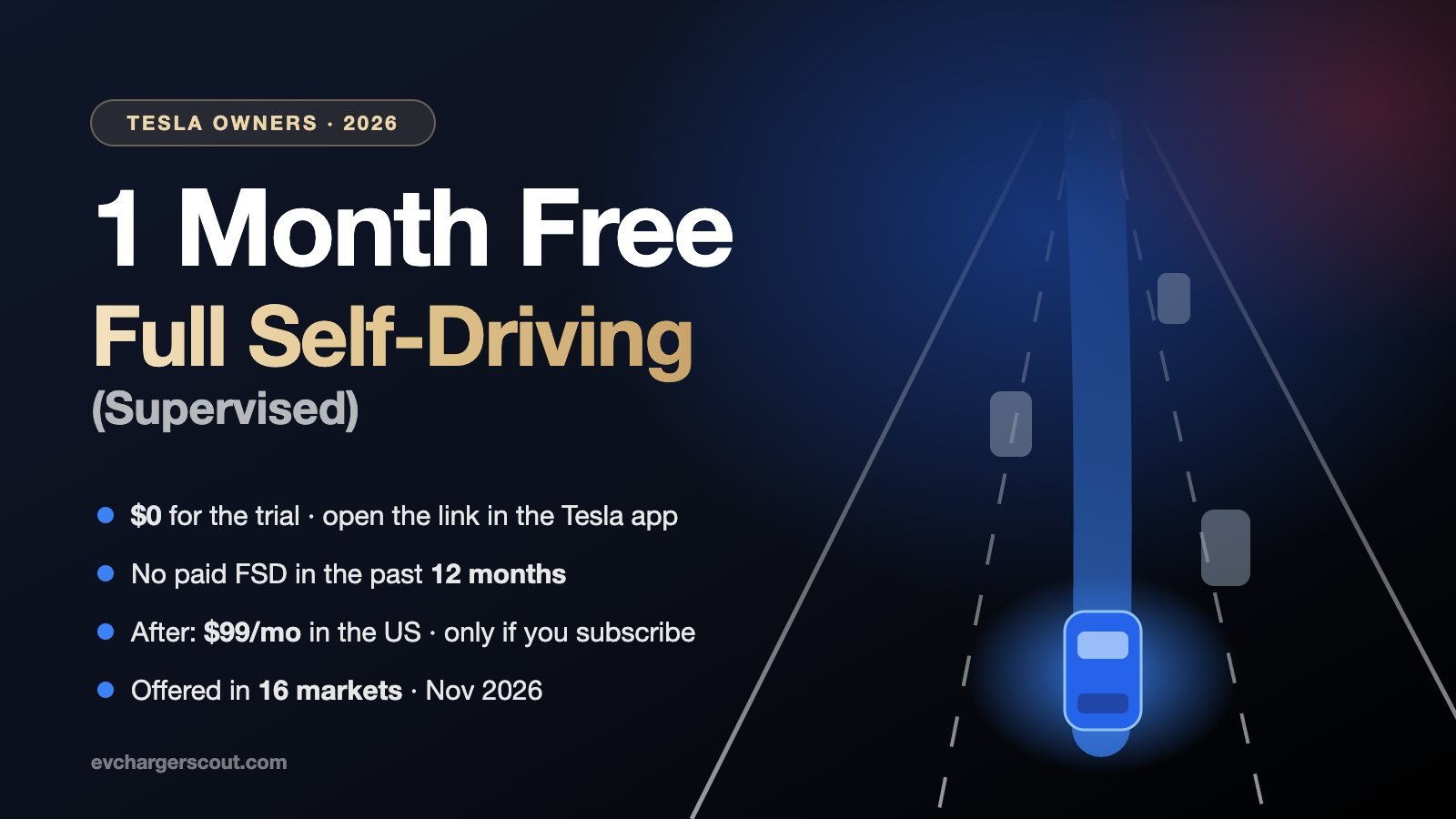
The free FSD (Supervised) month at a glance: who it's for, what it costs and where it's offered. Illustration: EV Charger Scout. Tap the image to enlarge.
Eligible Tesla owners get one month of FSD (Supervised) free through a referral link opened in the Tesla app. You qualify if you own a registered Tesla that can subscribe to FSD, haven't paid for an FSD subscription in the past 12 months, never bought FSD outright, and are 18 or older. Subscribing afterward is optional: $99/month in the US, cancel any time.
1 Month FreeFull Self-Driving(Supervised)
Already drive a Tesla? Try Full Self-Driving (Supervised) free for a month. Your car handles the driving on highways and city streets while you stay attentive and ready to take over. Then decide if it's right for you.
Best opened on your phone with the Tesla app installed — on a computer, tap the QR button and scan it. Eligibility and availability are set by Tesla and may change. Referral link: if you subscribe during your free month, the developer gets a free month too, at no extra cost to you. Thank you for supporting EV Charger Scout!
What You Actually Get During the Free Month
The trial unlocks the full FSD (Supervised) package your car is eligible for, the same thing a paying subscriber gets. Tesla describes it as driver assistance that can drive your car "almost anywhere" under your active supervision. In practice, once you set a destination, the car follows your navigation route. It changes lanes, takes the right fork, stops and proceeds at intersections, makes left and right turns, handles roundabouts, and gets on and off highways. It works on residential and city streets as well as highways.
Depending on your car, the package also includes Autopark (parallel and perpendicular parking) and Summon. Actually Smart Summon brings the car to you across a parking lot from the Tesla app, and Dumb Summon moves it in and out of a tight space. Tesla notes that Summon is only available on select vehicles, so check your Owner's Manual.
You can also change how the car drives. Under Controls > Self-Driving > Speed Profile, you can choose from five profiles: Sloth, Chill, Standard, Hurry and Mad Max. Sloth drives slowest with the fewest lane changes, and Mad Max drives fastest with the most. There's also a setting for whether the car uses HOV lanes on your route.
"Supervised" is the important word. Tesla says plainly that none of these features make the car autonomous. You're still the driver, responsible for speed and control at all times. Keep your eyes on the road and be ready to take over instantly. The car watches for inattention: after repeated warnings it disengages for the rest of the drive (a "strikeout"). Three or five strikeouts, depending on your car, suspend FSD for a week. A strikeout is forgiven after half a week as long as you don't get another in that time.
Who Qualifies for the Free FSD Trial
Tesla sets the rules, and it makes the final call in the app. Here's how its referral program and Refer and Earn terms read as of November 2026:
| Rule | What Tesla requires |
|---|---|
| Own the car | You must own a registered Tesla vehicle. Accept the trial with the Tesla account the car is registered to. |
| No recent paid FSD | You can't have paid for an FSD (Supervised) subscription in the past 12 months, so current subscribers don't qualify. |
| Never bought FSD outright | Owners who bought FSD (Supervised) outright aren't eligible. |
| Compatible hardware | The car must be eligible to subscribe to FSD (Supervised). Some cars need a paid prerequisite upgrade first. |
| New-car trial cooldown | If you got an FSD (Supervised) trial when you took delivery of a new Tesla, you have to wait at least 12 months after that trial ends. |
| No one-year grants | Owners with FSD (Supervised) through a one-year grant can't receive a referral link. |
| Age | You must be at least 18 years old. |
| One per account | A referral link can't be used by the same Tesla account more than once. |
Home Charging Upgrade · EV Shop

* Amazon affiliate link — EV Charger Scout may earn a small commission at no extra cost to you.
Check your car in 30 seconds
In the Tesla app, tap Upgrades > Software Upgrades. If you see an option to subscribe to FSD (Supervised), your car can run it. If your car needs a prerequisite upgrade, the app says so when you select FSD (Supervised).
How to Claim Your Free Month (Step by Step)
- 1Update the Tesla app. Tesla says the FSD referral program needs app version 4.62.0 or later.
- 2Open the referral link on your phone. Use the phone where you're signed in to the Tesla app. On a computer, tap the QR button on the card above and scan the code with your phone.
- 3Make sure it opens in the Tesla app. Referral trials can only be accepted in the app. If the link opens a web page instead, go back, touch and hold the link, and choose "Open in Tesla."
- 4Accept the trial with the Tesla account the car is registered to.
- 5Let the car update. The car has to finish a software update before FSD (Supervised) features appear. Parking it on Wi-Fi helps.
- 6Turn it on in the car. Tap Controls > Self-Driving > Full Self-Driving (Supervised) and read through the user agreements.
- 7Start driving with it. Below 85 mph, tap "Start Self-Driving" on the touchscreen. When it's active, "Self-Driving" turns blue and a blue line shows the car's planned path. To take back control, press the brake, steer manually, push the gear stalk up (if your car has one) or press the right scroll wheel (if equipped).
Time the trial. Accept the link when you'll actually drive a lot over the next month, not the week before a trip where the car stays parked. If you have a road trip coming up, start the trial a few days before you leave so the software update is done and you've learned the basics on familiar roads first.
Make the Month Count: What to Test
Most people try FSD on a quiet highway, like it, and never test the situations that decide whether it's worth $99 a month to them. Use your month to try it on the drives you actually do:
| Situation | What to pay attention to |
|---|---|
| Your daily commute | Run the same route several times. Count how often you take over, and whether it's for safety or just preference. |
| Highway interchanges | Lane changes for exits and forks, merging in heavy traffic, and how early it moves over |
| City streets | Unprotected left turns, four-way stops, pedestrians, cyclists, roundabouts and construction zones |
| Parking lots | Autopark and Summon (if your car supports them). Stay alert, since parking lots are unpredictable. |
| Night and bad weather | How it handles rain, glare and poorly marked lanes. Notice when it asks you to take over. |
| A longer road trip | Hours of highway driving with navigation set, including stops along the way |
| Speed profiles | Try Chill, Standard and Hurry on the same road to find the one that feels natural to you |
On a road trip, FSD (Supervised) follows whatever route is in your navigation, so planning your charging stops still matters. Tesla's own navigation handles Superchargers. For everything else (CCS, J1772 and other networks, plus live filters for connector and charging speed), the free EV Charger Scout map covers it. Before a long or cold-weather drive, the real-world range estimator gives you a realistic number to plan around.
One thing worth having for Supercharger stops on long trips: a way to release the charging cable without getting out of the car. That's useful at a station that doesn't feel right late at night. We compared the options, including Tesla's new Emergency Drive Away, in our EjectX review.

EjectX Tesla Supercharger Release Tool
Release Your Charging Cable From Inside the Car — No Exiting Required
* Amazon affiliate link — EV Charger Scout may earn a small commission at no extra cost to you.
What Happens When the Free Month Ends
Subscribing is a separate step you choose in the Tesla app. If you don't, the trial simply ends and FSD (Supervised) turns off. If you decide you want to keep it, you can subscribe in the Tesla app (Upgrades > Software Upgrades) or on the car's touchscreen (Controls > Upgrades). If you subscribe during the trial, Tesla says payments start when the trial ends, so you don't lose any free days.
| Option | Cost (US, Nov 2026) | Good to know |
|---|---|---|
| Referral trial | $0 for one month | One per account. Only you decide whether to subscribe afterward. |
| Monthly subscription | $99/month | Cancel any time in the app. You keep the features until the end of the billing period. Tesla doesn't prorate or refund payments. |
| Cars with Enhanced Autopilot | Often shown at $49/month | Many US and Canadian owners who already bought Enhanced Autopilot have been offered a reduced rate since early 2026. The app shows your price. |
| Buying FSD outright | Not offered | Tesla says FSD (Supervised) is currently subscription-only. Cars that already have it outright keep it. |
| Prerequisite upgrade | Varies | Some cars need a paid upgrade before they can subscribe. It isn't included in the subscription. |
Outside the US you pay in local currency, and Tesla shows the exact price in your app before you confirm. For the bigger picture on what a Tesla costs to own and charge, see our Tesla 2026 buying guide and the home charging cost calculator.
Does Your Tesla's Hardware Matter?
Yes. FSD (Supervised) runs on your car's driver-assistance computer, and what you get depends on which one it has. To check, go to Controls > Software > Additional Vehicle Information on the touchscreen and look for the Autopilot computer listed there.
- →Hardware 4 (AI4). Fitted to newer Model 3, Model Y, Model S, Model X and every Cybertruck. These cars get Tesla's latest FSD (Supervised) software first.
- →Hardware 3. Many 2019–2023 cars still use it. Since mid-2026, Tesla has been rolling out a separate, scaled-back version called FSD v14 Lite to Hardware 3 cars in the US and Canada. Tesla has also said Hardware 3 won't support unsupervised self-driving.
- →Older cars. Some older cars can't subscribe until they get a paid prerequisite upgrade. The app tells you when you select FSD (Supervised).
The free month is a good test for Hardware 3 owners in particular. You'll see what the Lite version does on your roads before you spend anything.
DC Fast Charging Upgrade · EV Shop

Lectron Vortex Plus NACS-to-CCS Adapter
The Gold Standard — UL 2252 Certified with Safety Interlock
* Amazon affiliate link — EV Charger Scout may earn a small commission at no extra cost to you.
Where FSD (Supervised) Is Available Worldwide
FSD (Supervised) needs regulatory approval country by country, so availability varies widely. Here's Tesla's list of markets with monthly FSD (Supervised) subscriptions as of November 2026:
| Region | Subscriptions offered | Notes |
|---|---|---|
| North America | United States, Canada, Mexico, Puerto Rico | The most mature market. The US is where the referral program and the $99 price are documented. |
| Oceania | Australia, New Zealand | Priced in local currency in the app |
| Europe | Netherlands, Belgium, Denmark, Czech Republic, Croatia, Estonia, Latvia, Lithuania, Slovakia, Slovenia | The Netherlands approved it first, in April 2026, and the others followed. The features enabled can differ from North America's. |
| Not listed yet | UK, Germany, France and most other markets | Not listed by Tesla as of November 2026. Tesla says to check the app for updates. |
Tesla documents the FSD referral program on its US support site and doesn't publish a separate referral page for each country. If you're in a subscription market outside the US, open the link in the Tesla app. If your account is eligible, the app offers you the trial. If it doesn't, the referral trial isn't available to you yet. Either way, you can still subscribe directly. Taking a Tesla abroad? Our global adapter and plug guide covers connectors by region.
How the Referral Works (and Why We Share It)
Tesla's FSD referral program is simple. An owner who subscribes to FSD (Supervised), or bought it outright, shares a link from the app's Refer and Earn menu. Eligible owners who open it get a free month. If one of them subscribes during the trial, the person who shared the link earns a reward. A subscriber gets one free month of FSD (Supervised), and an owner who bought FSD outright gets a $99 Tesla Credit. Tesla caps referrer rewards at 12 per calendar year, and each one expires 12 months after it's granted.
We share the developer's link because it costs you nothing and directly supports this free app. If you'd rather see the full eligibility checklist with a scannable QR code on a single page, it's at freefsd.evchargerscout.com. EV Charger Scout is independent and isn't affiliated with, endorsed by or sponsored by Tesla.
Troubleshooting: Common Problems
- →The link opens a web page, not the app. Touch and hold the link and choose "Open in Tesla." If that option doesn't appear, update the app. If it still doesn't work, delete and reinstall the app, sign in to the account linked to your car, and try the link again.
- →The app says you're not eligible. The usual reasons are a paid FSD subscription in the last 12 months, a new-car trial that ended less than 12 months ago, FSD bought outright, a car that needs a prerequisite upgrade, or a market where it isn't offered.
- →You accepted, but FSD doesn't appear in the car. The car has to finish a software update first. Connect it to Wi-Fi, install any pending update, then look under Controls > Self-Driving.
- →You're signed in with the wrong account. Only the Tesla account that owns the car can add FSD (Supervised). Another driver with access to the car can't accept it from their own account.
- →FSD shows as suspended. Too many inattention strikeouts trigger a one-week suspension. Controls > Self-Driving shows how many strikeouts you have left.
If you've never tried FSD (Supervised), or haven't paid for it in a year, a free month is the lowest-risk way to see whether it fits how you drive. Check eligibility under Upgrades in the app, open the link on your phone, and test it on your real commute. You pay nothing unless you choose to subscribe.
1 Month FreeFull Self-Driving(Supervised)
Already drive a Tesla? Try Full Self-Driving (Supervised) free for a month. Your car handles the driving on highways and city streets while you stay attentive and ready to take over. Then decide if it's right for you.
Best opened on your phone with the Tesla app installed — on a computer, tap the QR button and scan it. Eligibility and availability are set by Tesla and may change. Referral link: if you subscribe during your free month, the developer gets a free month too, at no extra cost to you. Thank you for supporting EV Charger Scout!
One month, no cost, and no commitment. The only way to know if FSD (Supervised) is worth $99 a month to you is to drive with it on your own roads.
Frequently Asked Questions
How do I get a free Tesla FSD trial?
Open an FSD (Supervised) referral link on the phone where you use the Tesla app, then accept the one-month trial in the app with the Tesla account the car is registered to. Tesla says referral trials can only be accepted in the Tesla app. If the link opens in a browser instead, touch and hold it and choose "Open in Tesla." Once the car finishes a software update, turn it on under Controls > Self-Driving.
Who is eligible for the free month of FSD (Supervised)?
According to Tesla, you need to own a registered Tesla that is eligible to subscribe to FSD (Supervised) with compatible hardware. You can't have paid for an FSD (Supervised) subscription in the past 12 months or have bought FSD (Supervised) outright. Tesla's Refer and Earn terms also require you to be at least 18. If you got an FSD (Supervised) trial when you took delivery of a new Tesla, you can't receive a referral trial until at least 12 months after that trial ended.
How much does FSD (Supervised) cost after the free month?
Subscribing is a separate step you choose in the Tesla app. In the US, Tesla lists the subscription at $99 a month (as of November 2026). You can cancel at any time and keep the features until the end of the billing period, but Tesla doesn't prorate or refund subscription payments. If you subscribe during your trial, Tesla says payments start when the trial ends. Tesla no longer sells FSD (Supervised) outright. It's subscription-only.
Which countries can subscribe to FSD (Supervised)?
As of November 2026, Tesla lists monthly FSD (Supervised) subscriptions in the United States, Canada, Mexico, Puerto Rico, Australia, New Zealand, the Netherlands, Belgium, Denmark, the Czech Republic, Croatia, Estonia, Latvia, Lithuania, Slovakia and Slovenia. Features vary by market, and Tesla says to check the Tesla app for other regions. The UK, Germany and France aren't on the list yet.
What does the person who shared the referral link get?
If you subscribe to FSD (Supervised) during your referral trial, the person whose link you used earns a reward from Tesla: one free month of FSD (Supervised) if they subscribe, or a $99 Tesla Credit if they bought FSD outright. It costs you nothing extra. Tesla caps referrer rewards at 12 per calendar year.
More guides on Save Money
Explore the full Save Money topic hub — related guides that build on this one.
Free EV tools
Put this guide to work — every tool is free and needs no account.
- EV Range LookupOfficial EPA, WLTP & CLTC range for 650+ models
- Real-World Range EstimatorRange adjusted for today's weather and your speed
- Home Charging Cost & PaybackMonthly bill and charger payback time
- EV vs Gas SavingsFuel savings over 1, 5 and 10 years
- EV Incentives by StateRebates and perks in all 50 states + DC
- Charging Network PricesCompare Supercharger, EA, EVgo and more
- Compare EV ModelsBattery, range and charging speed side by side
- Battery Health EstimatorProjected capacity at 100k and 200k miles
- VIN Decoder & RecallsNHTSA specs, recalls and investigations
- CO₂ Savings CalculatorEmissions avoided on your country's grid